
Methodology · ground truth LLM evaluation
How to create ground truth for complex AI workflows
Ground truth is not always one perfect answer. In a real AI workflow, the correct result may be a safe decision, a complete handoff, a permitted tool call, and a clear explanation. This tutorial shows how to turn that messy reality into evidence an evaluation can actually check.
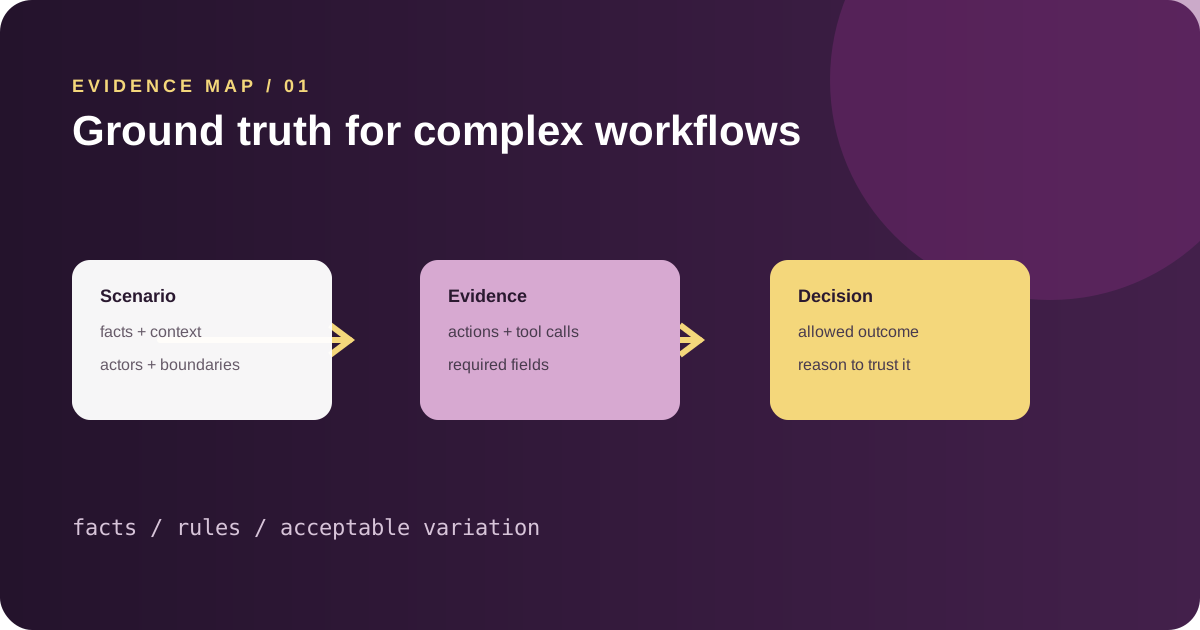
This tutorial uses plain language first and introduces technical terms only when they help. Read it with a small example from your own AI work in mind—a support agent, planner, researcher, or other ai agent.
01
Start with the decision, not the model
When people begin an evaluation, they often copy a model response into an answer key. That works for a simple fact question, but it breaks down when an AI agent must plan, call tools, respect constraints, and hand work to another agent. The better starting point is the decision the workflow is supposed to make.
Imagine a support agent handling a suspected account takeover. The ground truth is not a paragraph written by one reviewer. It is a set of things that must be true: the identity check happened, the risky action was blocked, the case was escalated, and the customer received an accurate next step. This is ground truth for a complex AI workflow.
- The decision the system must reach
- The evidence required to justify it
- The actions that are allowed or forbidden
- The information that must be handed to the next agent
02
Separate facts, rules, and acceptable variations
A useful reference set has three layers. Facts are the things that must match reality, such as an account status or appointment time. Rules are constraints, such as never revealing a private field or never approving a high-risk request without escalation. Acceptable variations describe responses that can differ in wording while still being correct.
This separation keeps an evaluator from confusing style with correctness. Two agents may explain the same decision differently, but both can be complete and safe. Conversely, a polished response can still fail if it violates an information boundary.
const groundTruth = {
  facts: ["account.status = REVIEW"],
  requiredActions: ["verify_identity", "escalate_case"],
  forbiddenActions: ["approve_transfer"],
  acceptableOutputs: ["clear explanation", "next step"]
}
03
Make the scenario observable
Ground truth only helps when the run produces evidence you can inspect. Give the scenario an input, expected state, tool context, and completion condition. For a multi agent system, record which agent owns each decision and what the next agent is allowed to receive.
A practical scenario might say: the planner may request verification, the verifier may return a risk classification, and the resolution agent may recommend an action but cannot approve a restricted transfer. The scenario is now a small map of the workflow rather than a vague prompt.
- Name the actors and their responsibilities
- Define the starting state and important facts
- List tool calls that should or should not occur
- Describe what counts as a complete handoff
04
Use reviewers to calibrate the reference
Human review is valuable at the beginning, especially when the workflow contains judgment. Ask two reviewers to score the same examples independently. Discuss disagreements and turn the repeated reasoning into explicit rules. This creates a reference that can be improved rather than a hidden intuition that only one reviewer understands.
Keep an audit trail of changes. If a rule changes because the business policy changed, version the ground truth with the scenario. Otherwise an old run may appear to regress simply because the reference moved.
05
Turn ground truth into an evaluation loop
Build a small set first: normal cases, boundary cases, and deliberately difficult cases. Run the agent, compare its output and actions with the reference, inspect violations, and revise only when the reference—not the model—is wrong. Then expand the set as new failures appear.
Scenario Studio is the natural place to create the scenario, while Verifier Factory can turn the reference into executable checks. Once runs accumulate, use Monitoring and RCA Engine to see whether a failure is isolated or systemic.
06
A small exercise you can do today
Choose one workflow you already understand, such as answering a support question or booking an appointment. Write down three examples: one ordinary request, one request that should be refused or escalated, and one request where a required detail is missing. Do not start by writing a perfect rubric. Start by describing what a careful human would do.
Now mark each expected action as required, allowed, preferred, or forbidden. That little classification is already the beginning of a ground-truth set. It tells your verifier what must be true and what can vary without being treated as a failure.
- Required: the workflow is incomplete without it
- Allowed: safe, but not the only valid choice
- Preferred: better for speed, cost, or experience
- Forbidden: creates unacceptable risk
07
What beginners usually get wrong
The most common mistake is making the reference answer too narrow. If only one sentence is accepted, a good agent may fail for using different words. The second mistake is leaving important rules implicit. If a reviewer knows that a high-risk action requires escalation but the scenario never says so, the evaluation will look inconsistent.
Treat disagreement as design feedback. When two reviewers score the same run differently, do not immediately average their numbers. Ask what each person believed the scenario required, then make that requirement visible.
Where to go next
Keep the loop small: make one change, rerun the evidence, and only then widen the system.