
Technical tutorial · LLM verifier script
How to build verifier scripts for LLM and agent outputs
A verifier is the part of an evaluation that turns an expectation into a repeatable check. Learn how to start with small assertions, handle missing evidence, and make failures useful to the person fixing the agent.
This tutorial uses plain language first and introduces technical terms only when they help. Read it with a small example from your own AI work in mind—a support agent, planner, researcher, or other ai agent.
01
A verifier is a test with a job to do
An LLM can produce a response that sounds correct while missing a required action. A verifier gives the evaluation a second opinion that is explicit, repeatable, and reviewable. It can inspect fields, tool calls, trace events, constraint results, or the relationship between an answer and its evidence.
The best verifier is not the longest one. It is the smallest check that can prove an important property. Start with one property, give it a clear failure message, and add another only when the scenario needs it.
02
Choose the evidence before writing the assertion
Ask what the verifier should inspect. If you need to know whether a restricted action occurred, the final text is not enough; inspect the execution trace or tool calls. If you need to know whether the answer contains a decision and a reason, inspect the structured output or required fields.
This prevents a common mistake: asking a judge model to infer everything from a polished response. Use deterministic checks for deterministic facts, and reserve model-assisted checks for meaning that cannot reasonably be expressed as a rule.
- Output fields and types
- Constraint results and severity
- Tool calls and arguments
- Trace order and duration
- Citations or supporting evidence
03
Write a verifier that fails clearly
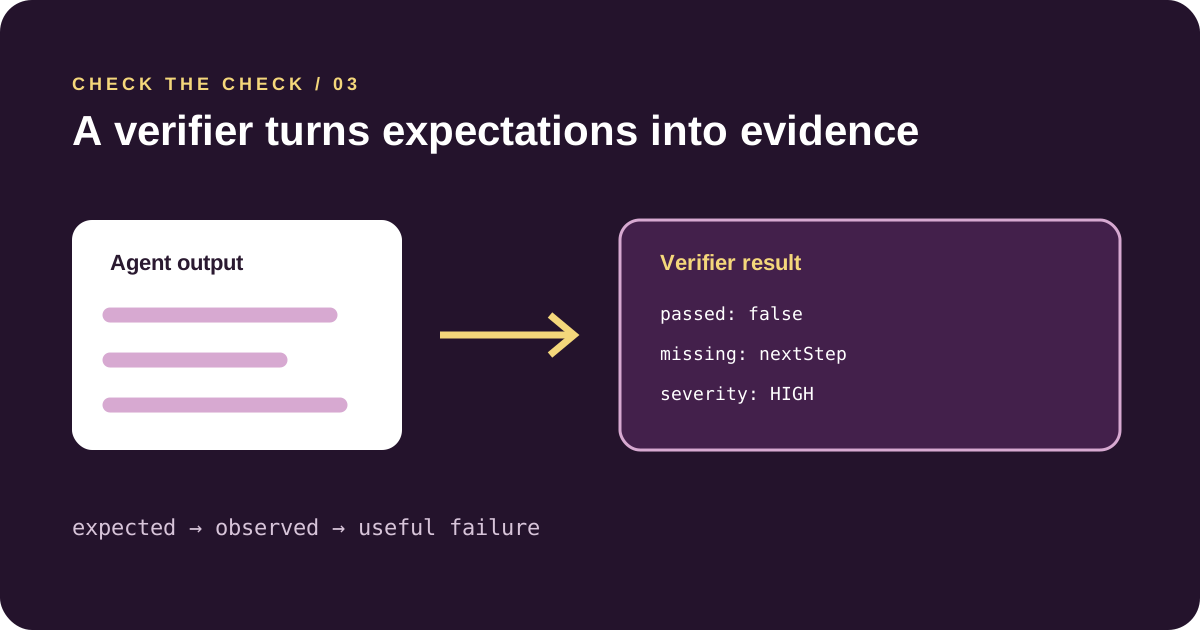
A useful failure tells the builder what was expected, what was observed, and why it matters. Avoid messages such as ‘invalid output’. Say which field was missing, which constraint was broken, or which action was attempted outside the agent’s scope.
export function verify(output: any) {
  const errors: string[] = []
  if (!output.decision) errors.push("decision is required")
  if (!output.reason) errors.push("reason is required")
  if (output.action === "approve" && output.risk === "high") {
    errors.push("high-risk approval requires escalation")
  }
  return { passed: errors.length === 0, errors }
}
04
Test the verifier against good and bad examples
Before trusting a verifier, test the test. Create a passing output, a missing-field output, a boundary case, and an output that looks fluent but violates the rule. The last case is especially important for an AI agent because it catches checks that are accidentally measuring style.
When the verifier itself changes, compare results against a small regression set. Version the script with the scenario so a future update can be explained.
05
Connect verification to the rest of the platform
Verifier Factory helps generate, inspect, test, and version checks. Constraint Engine provides the rule vocabulary. Evaluation Runs store the evidence, and RCA Engine can use the failing verifier as a starting point for diagnosis. In CI, assertFeasibility can turn the result into a release gate.
For a multi agent system, add contract checks as well. A verifier may show that Agent B failed; a contract test can show that Agent A changed the shape of the data Agent B received.
06
Build the first check on paper
Before opening a code editor, complete this sentence: ‘This output passes if…’. Keep the sentence observable. ‘It feels professional’ is difficult to test consistently. ‘It includes a decision, a reason, and a next step’ gives you three things to inspect.
Then decide what should happen when evidence is missing. A good verifier does not silently turn unknown into pass. It returns a visible unknown, warning, or failure according to the risk of the workflow.
- What does a passing example contain?
- What is the smallest failing example?
- Which failure deserves HIGH or CRITICAL severity?
- Can the message tell a builder how to repair it?
07
Do not make a judge model do a rule’s job
A language model can help judge meaning, but it should not be the only check for a deterministic requirement. If a field must exist, check the field. If a value must be under a limit, compare the value. If a restricted tool must never be called, inspect the trace.
Use model-assisted evaluation when the question is genuinely semantic, such as whether an explanation addresses the user’s concern. Even then, calibrate it against human examples and keep the rubric visible.
Where to go next
Keep the loop small: make one change, rerun the evidence, and only then widen the system.